
ggnmem
Semantic Terminal Memory Engine
Never forget terminal commands again.
Search your command history using keywords, semantic search, and natural language. Local-first, AI-powered, and completely private.
$ curl -fsSL https://raw.githubusercontent.com/gagansokhal-coder/Terminal_helper/main/scripts/install-online.sh | bashFeatures
Everything you need to make your terminal history intelligent, searchable, and private.
Automatic Command Capture
Captures every shell command in under 10ms with zero-friction hooks for Bash, Zsh, and Fish.
Hybrid Search (FTS5 + Semantic)
Combines full-text keyword matching with AI-powered semantic understanding via Reciprocal Rank Fusion.
Natural Language Search
Ask in plain English — "show running containers" returns `docker ps` instantly from the built-in knowledge base.
Interactive TUI
A full-screen Ctrl+R replacement with mode cycling, command previews, and keyboard-driven navigation.
AI-Powered Embeddings
Local ONNX models (MiniLM, BGE) generate vector embeddings on your CPU. No API keys required.
Self Update
One command to fetch, verify checksums, swap binaries, and restart — preserving your config and database.
One-Line Installer
A single curl command detects your architecture, downloads pre-built binaries, and configures shell hooks.
Local First & Private
Zero cloud dependencies, no telemetry, no API calls. Secret redaction scrubs keys before storage.
Screenshots
See ggnmem in action. Click any image to enlarge.
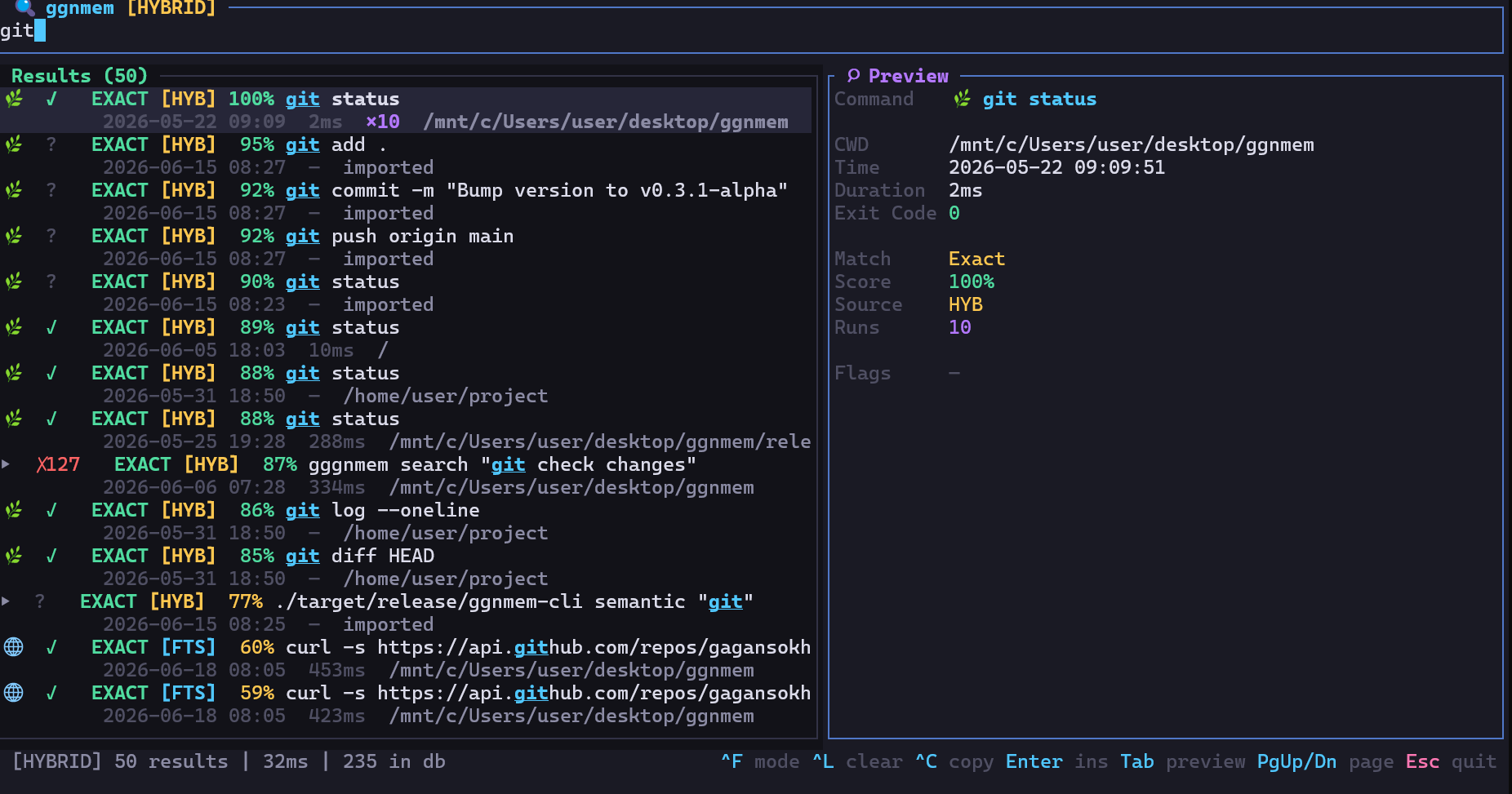
Interactive Terminal Search
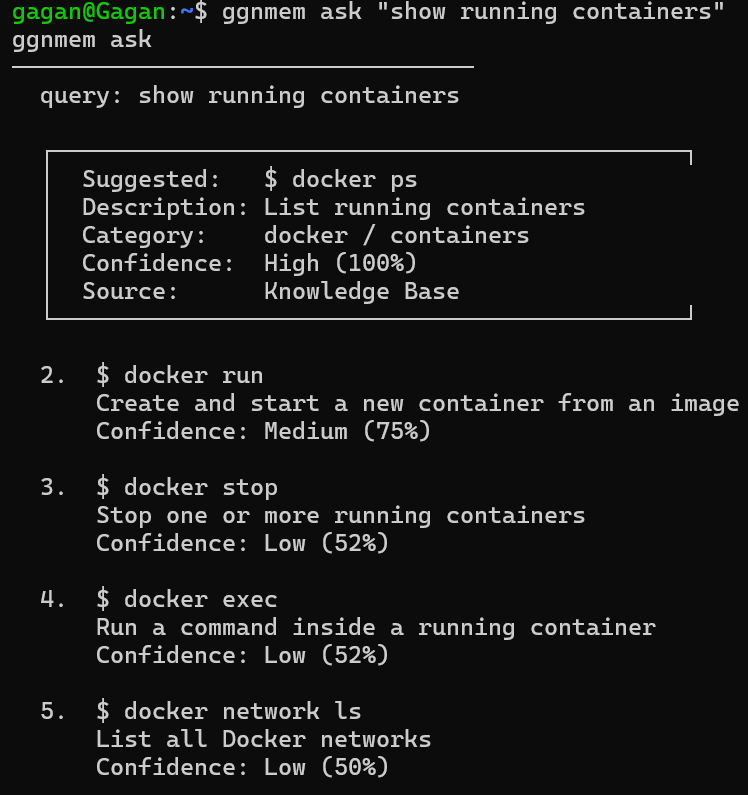
Natural Language Queries
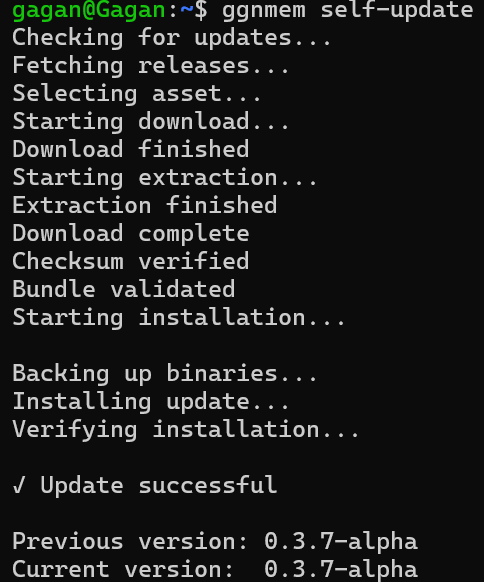
Self-Updating System
How It Works
A modular architecture designed for speed, privacy, and reliability.
Shell
Your terminal session
Capture Hook
Zsh/Bash/Fish hooks
Daemon
Background processor
SQLite + FTS5 + Vector DB
Persistent storage & indexing
Search / Semantic Search / AI
Hybrid retrieval engine
Quick Start
From zero to semantic search in under a minute.
$ curl -fsSL https://raw.githubusercontent.com/gagansokhal-coder/Terminal_helper/main/scripts/install-online.sh | bash$ ggnmem doctor$ ggnmem start$ ggnmem search docker$ ggnmem ask "show running containers"Examples
Real commands you can run right after installing.
Keyword search across history
$ ggnmem search dockerSearch by meaning, not syntax
$ ggnmem semantic "postgres backup"Natural language queries
$ ggnmem ask "show running containers"One-command upgrade
$ ggnmem self-updateProject Stats
Version
v0.3.7-alpha
License
MIT
Platform
Linux x86_64, aarch64
Status
Pre-Alpha
Roadmap
Where we've been and where we're going.
✓Completed
- ✓Phase 22 — Self Update
- ✓Phase 23 — Installer
- ✓Phase 24 — Documentation
→Coming Next
- →Cloud Sync
- →Team Workspaces
- →Plugin System
- →Enterprise Features